AI apps for Real Estate
Real Estate groups AI apps built for the day-to-day work of selling and managing property — lead follow-up, listing presentation, and other agent- and broker-facing tasks.

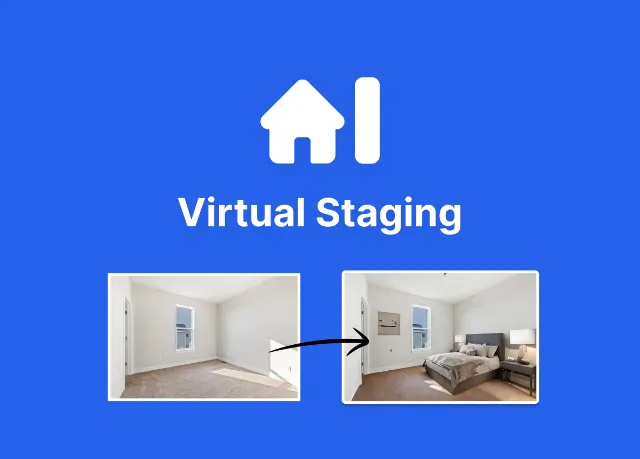
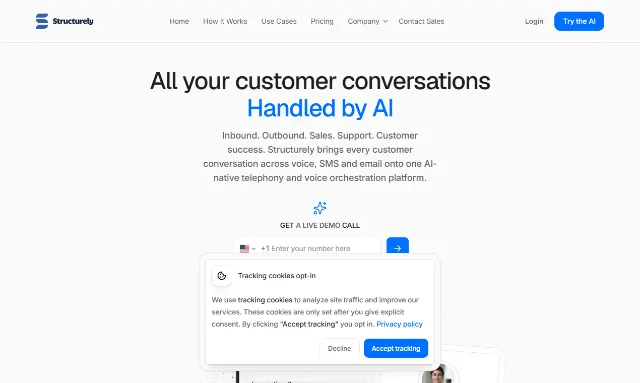
Agents, brokers, and small property teams come to this category to hire out one specific job: keeping a lead warm until it books a showing, or turning empty listing photos into staged ones without waiting on a photographer. The apps here are built to slot into a workflow you already run — a CRM, a lead form, a batch of listing photos — not to replace it. If you sell or manage property and want a tool that does one part of that job well, start here.
Browse 2 apps in this category.


FAQ
What kinds of AI apps are in Real Estate?
Right now that means lead conversion (AI that texts and calls leads until they book) and listing presentation (virtual staging that furnishes empty rooms in photos). As the category grows we add tools that pass the same test: built for the daily work of selling or managing property, not a general-purpose app that happens to work for real estate too.
How do you decide what qualifies for this category?
Each listing gets exactly one category, matched to the primary job the app does. A person reviews the submission and assigns it before it publishes — apps aren't auto-tagged by keyword.
Are the apps in this category free, paid, or something in between?
Each listing shows one pricing label — free, paid, or freemium — set by the maker and checked during review. Pricing lives on the app's own listing page, since it changes independently of the category.
How do I list my AI app in Real Estate?
Submit at /launch. The listing is free, and no fee skips the queue. A person reviews every submission within 48 hours; an approved listing takes the next open slot in the weekly batch and goes live once the AXIS Launch badge is on your site.
See the Real Estate shortlist →
The AXIS Launch daily
One email a day: a listed app, a tool, or a thread from the community, and now and then a note about the other things we make. Unsubscribe in one click.
You get a confirmation email first, and nothing else until you click it. Every issue carries a one-click unsubscribe and our postal address.